Neon Love Theme
Delicate theme for Android AppPersonalization
4.68.11K Reviews
- Version
- 11.0.5.1106
- Installs
- 100.00M
- Age Rating
- Teen
Screenshots
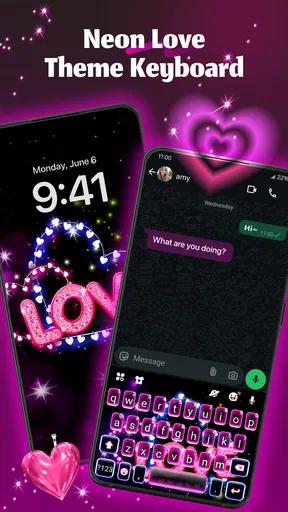
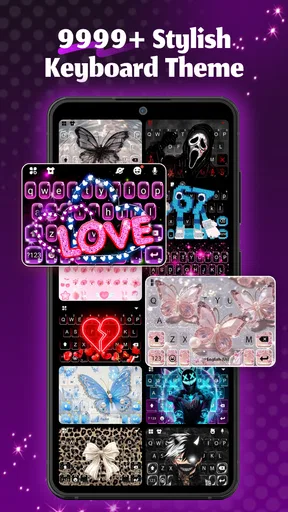
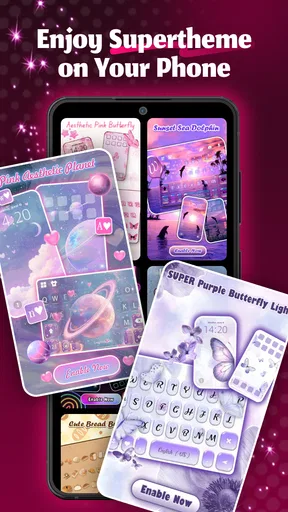
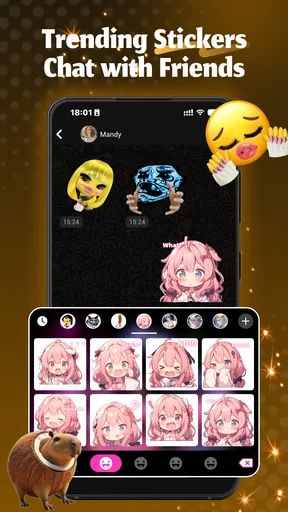
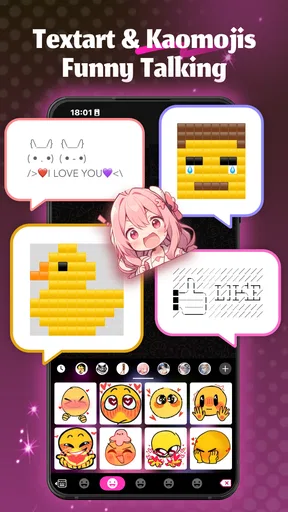
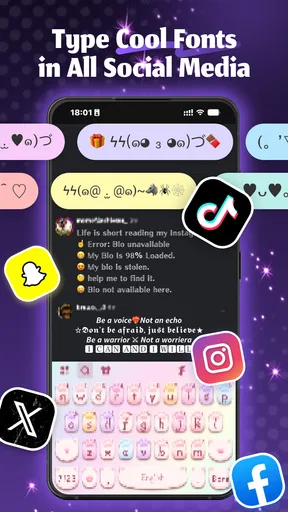
Our Review of Neon Love Theme
 Analysis by Appyee
I approach Neon Love Theme as a focused way to give an Android phone a bold, coordinated look rather than as a general-purpose customization toolkit. Its appeal is easy to understand: neon colors can make a familiar home screen feel lively without asking you to redesign every part of your phone from scratch. If you enjoy bright pinks, blues, and purples, the style has a clear point of view. If you prefer subdued colors or a nearly invisible interface, that same strong look may be more distracting than refreshing.
What to expect from a neon keyboard theme
This is a personalization app from Delicate theme for Android App, centered on a Neon Love look for the keyboard. The important distinction for a first-time user is that a keyboard theme changes the appearance of typing, not the design of the entire operating system. It is not the same thing as changing your phone’s system theme, and a themed keyboard will not necessarily make every app icon, menu, or wallpaper match.
The app is free to install, and its audience is broad: it has passed over 100 million installs, with a 4.6 average from around 458,000 ratings. It is rated Teen and runs on Android 7.0 or later. The current version is 10.8.2.0529. Those details make it approachable for many Android users, but they do not tell you whether the neon style will suit your screen, so I would treat the first setup as a quick style trial rather than a permanent commitment.
Getting set up without guessing
After installing it, look for the app’s own prompts and follow the steps it presents to apply the keyboard theme. Android keyboard setup commonly involves selecting a keyboard and allowing it to be used for typing; take a moment to read each screen instead of tapping through automatically. The goal is to make the themed keyboard available, then select it when Android asks which keyboard to use. Menu wording and placement can vary between phones, so I would follow the instructions shown on your device rather than rely on a particular settings path.
Once it is active, open a familiar messaging or notes app and tap a text field. That gives you a low-pressure first test: you can see the keyboard in a context you already understand, type a short message, and decide whether the colors are comfortable at normal brightness. If the keyboard does not appear, check which keyboard is selected in your phone’s input settings before reinstalling anything. If it appears but the look is not what you expected, return to the theme app and review its available choices and instructions.
First useful test: type something you already need to write
I find it more useful to test a keyboard theme with a real task than to stare at a preview. Reply to a routine message, jot down a shopping reminder, or search for a saved contact. You will quickly learn whether the neon contrast is clear enough for your eyes and whether the keyboard feels comfortable during ordinary typing. A decorative keyboard that looks striking in a screenshot still has to work when you are trying to answer someone quickly.
For a practical trial, use it for a few short conversations before deciding whether to keep it. Notice the keys in a dim room as well as in daylight, and pay attention to whether bright colors make it harder to distinguish the letters. This is a personal comfort issue, not a flaw that will affect everyone equally. If you type for long stretches or rely on a particular keyboard layout, prioritize readability and familiar controls over the novelty of the theme.
Where this theme fits among other personalization choices
Compared with changing a wallpaper, a keyboard theme is more present during active use: it appears whenever you type, not just when you look at the home screen. Compared with a full launcher or icon pack, it is also a narrower change. That can be a plus if you want a visible splash of personality without reorganizing your apps, but it means you should not expect a complete phone makeover from a keyboard-focused theme.
That difference helps set expectations. If your main goal is a coordinated home screen, a launcher or icon pack may be a better starting point. If you mainly want typing to feel more expressive, Neon Love’s concentrated approach makes more sense. You can also pair a keyboard style with a compatible wallpaper chosen separately, but I would avoid trying to match every color perfectly at first. A simple background can make the keyboard easier to read and keep the screen from feeling visually crowded.
Small decisions that make the look easier to live with
One useful trick is to assess the theme in the apps where you type most, not only in the app that helped you set it up. Different backgrounds behind the keyboard can change how its colors appear, and a style that looks balanced in one conversation may feel intense elsewhere. If you often switch between work and personal chats, test both before settling on it. That is a better guide than choosing based on a single attractive preview.
Another trade-off is visual consistency. A vivid keyboard can look distinctive while the rest of your phone stays plain, but it may clash with a dark, minimal wallpaper or a carefully matched system palette. You do not need to redesign everything to fix that: changing to a calmer background or keeping the home screen simple can give the keyboard room to stand out. If you already use a subdued system appearance for comfort, consider whether a bright keyboard will feel pleasant every time you type, not merely interesting on the first day.
Cost, fit, and when I would choose something else
The app is free to download, with optional in-app purchases listed from $0.99 to $49.99 per item. I would start with the free experience and only consider a purchase if the app clearly shows what it unlocks and you know you want it. A price range alone is not a reason to buy, and there is no need to spend money just to find out whether a neon keyboard suits your taste.
I would recommend trying it if you use Android, enjoy vivid romantic neon styling, and want a noticeable keyboard change without beginning with a more involved home-screen overhaul. I would skip it if you want a quiet, neutral keyboard, if bright colors strain your eyes, or if your priority is a consistent design across every screen rather than the typing surface. Someone who already likes their current keyboard’s appearance and controls may get little practical benefit from switching for looks alone.
It also helps to remember that a keyboard is a sensitive part of everyday phone use: it is where you enter messages, searches, and other text. Follow Android’s setup prompts carefully and make sure you are comfortable with the keyboard you choose. If you are not, switch back to the keyboard you normally use. That simple fallback makes trying a theme low risk and avoids turning a small visual experiment into a frustrating setup project.
First Impressions
Upon downloading the Neon Love Theme, I was greeted with an explosion of colors. The installation process was straightforward, and within minutes, my phone was transformed. The theme offers a unique combination of neon shades—think pinks, blues, and purples—that light up the screen in a way that’s both dazzling and delightful.
The app itself is user-friendly. Even if you’re not tech-savvy, navigating through its features is a breeze. It’s all about making your phone look cool without the hassle.
Features That Shine
So, what makes this theme worth checking out? Let’s dive into some of its standout features:
- Customizable Icons: The app offers a variety of neon-styled icons that replace your standard app icons. It adds a cohesive look to your home screen, making everything feel uniquely yours.
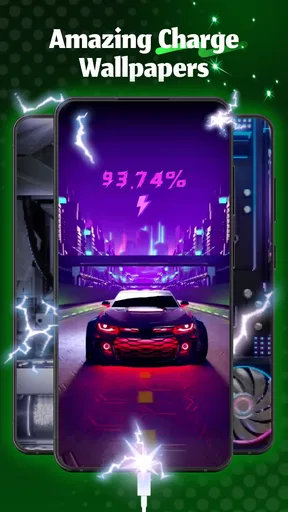
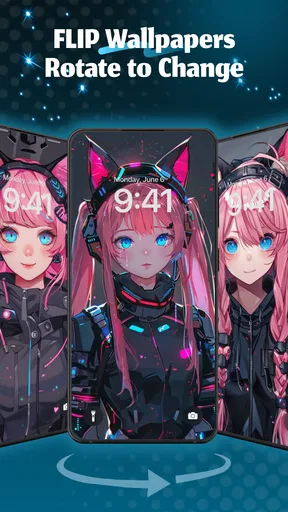
- Dynamic Wallpapers: You can choose from a range of animated wallpapers that pulse with neon lights. It’s a dynamic way to personalize your screen, giving it a life of its own.
- Widgets Galore: From clocks to calendars, the widgets are designed to fit seamlessly with the theme, offering functionality without sacrificing style.
Personal Experience
One of the things I loved about the Neon Love Theme is how it changed my interaction with my phone. The vibrant colors and animations made checking notifications and scrolling through apps feel like a more engaging experience. It’s more than just a visual change; it’s an upgrade in how your phone feels day-to-day.
That said, it’s not all sunshine and rainbows—or in this case, pinks and blues. The bright colors can be a bit overwhelming at first, especially if you’re used to more muted tones. But once you get used to it, you might find it hard to go back to anything else.
The Verdict
In the end, the Neon Love Theme is a fantastic choice for anyone looking to inject some color into their mobile experience. It’s not just about aesthetics; it’s about creating a phone environment that feels energetic and fun.
Whether you’re looking to stand out from the crowd or just want a change from the usual, this theme delivers. It’s easy to install, easy to use, and most importantly, it makes your phone look seriously cool. Give it a try, and you might just fall in love with your phone all over again.
Ready to glow up your phone? You can find the download links on our website. Trust me, you won’t regret it!
Privacy and Permissions
See what permissions an app requests and how it handles your data.
- Photos/Media/Files
- read the contents of your USB storage, modify or delete the contents of your USB storage
- Storage
- read the contents of your USB storage, modify or delete the contents of your USB storage
- Camera
- take pictures and videos
- Wi-Fi connection information
- view Wi-Fi connections
- Other
- view network connections, full network access, run at startup, set wallpaper, draw over other apps, control vibration, prevent device from sleeping, set an alarm, Google Play license check
Verdict
Strengths of Neon Love Theme
- Bright and vibrant color scheme.
- Easy to install and apply theme.
- Compatible with most devices.
- Customizable icons and widgets.
- Improves phone aesthetics significantly.
Limitations of Neon Love Theme
- May drain battery faster.
- Limited customization options.
- Could slow down older devices.
- Ads can be intrusive at times.
- Not all icons are themed.
Similar Picks in This Category
View All
Microsoft SwiftKey AI Keyboard
SwiftKey4.3

Wallpapers
Google LLC4.1

Zedge™ Wallpapers & Ringtones
Zedge4.7

Yandex Browser with Alice AI
Direct Cursus Computer Systems Trading LLC4.3

Ringtone Maker:create ringtone
Big Bang Inc.4.7

Fonts Keyboard
Fonts Keyboard3.9
Frequently Asked Questions
What features does the Neon Love Theme offer?
The Neon Love Theme provides a vibrant and visually appealing interface with neon colors that bring your device to life. It includes customizable icons, dynamic wallpapers, and unique widgets that enhance the aesthetic appeal of your home screen. Additionally, it offers smooth transitions and effects that create a seamless user experience.
Is the Neon Love Theme compatible with all devices?
The Neon Love Theme is designed to work with most Android and iOS devices. However, compatibility may vary depending on the device's operating system version and specifications. It's recommended to check the app's requirements on the download page to ensure it will function properly on your specific device.
How does the Neon Love Theme impact battery life?
While the Neon Love Theme is optimized for performance, the use of dynamic wallpapers and animations can have a minor impact on battery life. Users are advised to monitor battery usage and adjust settings if necessary. The theme provides options to reduce animations to help conserve battery power.
Can I customize the elements within the Neon Love Theme?
Yes, the Neon Love Theme offers extensive customization options. Users can personalize icons, change wallpapers, and adjust widget sizes and styles. This flexibility allows for a tailored experience that suits individual preferences, making it easy to create a unique and personalized look for your device.
Is the Neon Love Theme free to download and use?
The Neon Love Theme is free to download, but it may offer in-app purchases for additional features or premium content. These can include exclusive wallpapers, icon packs, and advanced customization options. Users can enjoy the basic features without any cost, while optional purchases enhance the experience.
